Let me tell you about the worst Monday morning I've had in recent memory.
It was around 6 AM, coffee still brewing, when my phone started blowing up with uptime alerts. One of the sites I managed had gone completely dark. No response, no error page — just silence. My first instinct was a database crash or some rogue cron job. Nope. Turns out, someone had decided to point a botnet at the server and flood it with garbage traffic until it choked.
That was my real introduction to DDoS attacks. Not a textbook definition, but a full-on, adrenaline-spiked, "why is this happening at 6 AM" experience.
If you're running anything online — a blog, a SaaS product, an e-commerce store, or even a game server — understanding DDoS protection isn't optional anymore. It's just part of the job.
What Exactly Is a DDoS Attack?
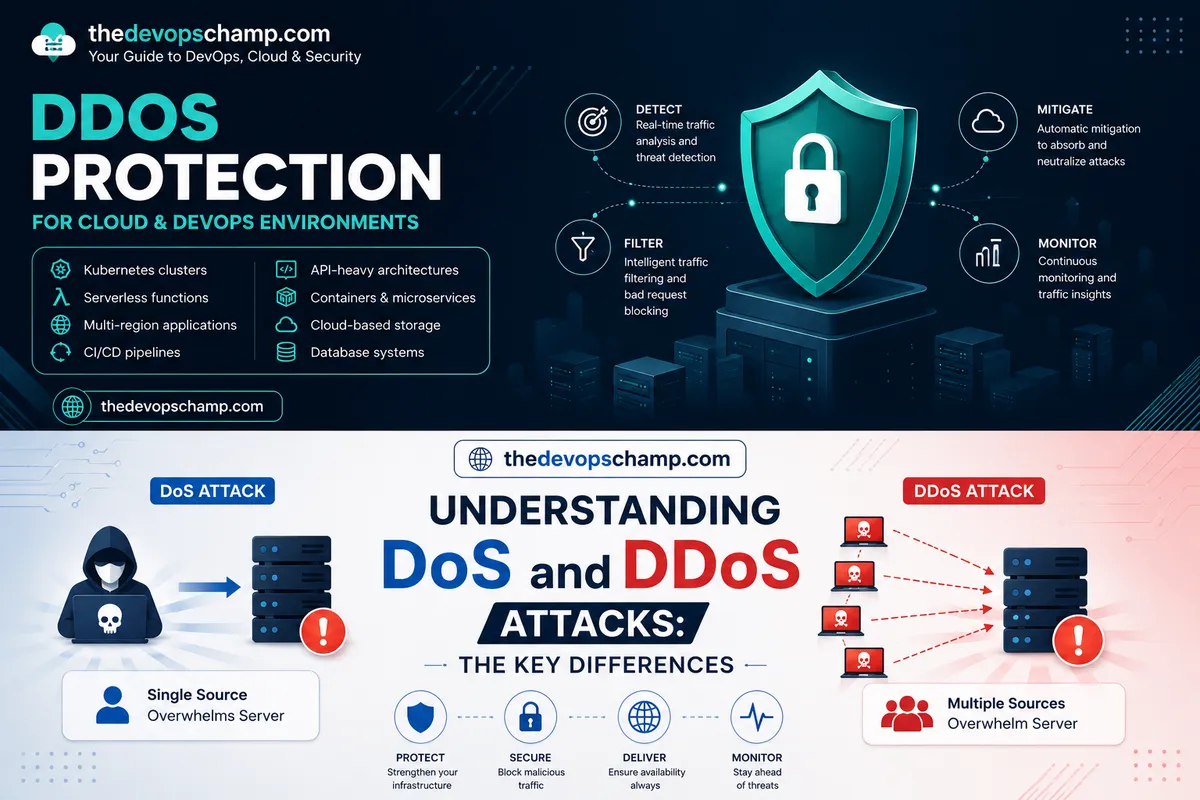
DDoS stands for Distributed Denial of Service. The goal is simple and brutal: overwhelm your server with so much traffic that it can't respond to real users anymore. The "distributed" part means the attack comes from thousands (sometimes millions) of different IP addresses simultaneously, making it nearly impossible to just block one source and move on.
Think of it like this. Imagine you own a small restaurant with 10 tables. On a normal day, customers walk in, get seated, eat, and leave. Business runs smoothly. Now imagine 500 people show up at once, none of them actually planning to eat, and they just stand in the doorway. Your real customers can't get in. Your staff is overwhelmed. The kitchen grinds to a halt. That's a DDoS attack — fake demand that destroys real service.
These attacks come in a few different flavors:
- Volumetric attacks flood your bandwidth with sheer traffic volume, measured in Gbps or even Tbps
- Protocol attacks exploit weaknesses in network protocols like TCP/IP to exhaust server resources (SYN floods are a classic example here)
- Application layer attacks are the sneaky ones — they send legitimate-looking HTTP requests targeting specific endpoints like your login page or search function, making them harder to detect
Why Should You Care Right Now?
DDoS attacks have gotten cheaper and easier to launch. That's the uncomfortable truth. You can rent a botnet on the dark web for a few dollars an hour. Script kiddies with a grudge, competitors trying to take you offline during a product launch, ransom-demanding threat actors — the list of people who might want to knock your site offline is longer than you'd think.
And the impact isn't just downtime. Every hour your site is unreachable, you're losing revenue, damaging SEO rankings, burning customer trust, and scrambling your team. For a business running any kind of SLA, downtime is an extremely expensive problem.
In 2024 alone, several high-profile cloud providers reported record-breaking attacks crossing 3.8 Tbps. These aren't just enterprise problems anymore. Even a small hosting server running a few WordPress sites can get caught in the crossfire.
The Layers of DDoS Defense
Good DDoS protection isn't one tool — it's a layered approach. Think of it like a castle with multiple walls, a moat, and guards at every gate.
Layer 1: Upstream Network-Level Filtering
The first line of defense is at the network level, ideally handled by your hosting provider or upstream ISP. This is called "scrubbing" — traffic gets routed through a scrubbing center where obvious attack traffic is filtered before it even reaches your server.
Most quality cloud providers (AWS Shield, Cloudflare Magic Transit, Azure DDoS Protection) operate at this layer. They absorb volumetric attacks because they have the bandwidth capacity to do so — we're talking hundreds of terabits of network capacity that small individual servers simply don't have.
Layer 2: CDN and Reverse Proxy
If you're not already routing your traffic through a CDN like Cloudflare, BunnyCDN, or AWS CloudFront — you really should be. A CDN sits in front of your origin server and acts as a middleman. Your real server's IP stays hidden. Attackers can hammer the CDN edge nodes all they want, but your actual infrastructure is protected behind it.
Cloudflare's free plan already gives you solid L3/L4 DDoS mitigation. Their Pro and Business plans add more sophisticated L7 protection. For most personal projects or small business sites, even the free tier makes a meaningful difference.
Layer 3: Rate Limiting and WAF Rules
A Web Application Firewall (WAF) inspects incoming HTTP requests and blocks suspicious patterns before they hit your application. You can configure rules like:
- Block IPs that send more than 100 requests per minute
- Challenge requests with unusual User-Agent strings
- Block traffic from known bad IP ranges or TOR exit nodes
- Require CAPTCHA for repeated failed login attempts
Tools like ModSecurity, Cloudflare WAF, AWS WAF, or even something lightweight like fail2ban on your Linux server can handle a lot of this at the application layer. I personally use a combination of Cloudflare WAF rules and fail2ban on my servers — fail2ban reads the Nginx access logs and automatically bans IPs that trigger suspicious patterns.
Layer 4: Server-Level Hardening
Even with all the upstream protection in place, it's worth hardening your server itself to handle traffic spikes more gracefully. A few things worth doing:
- Tune your kernel's TCP stack parameters (things like
net.ipv4.tcp_syncookies = 1in/etc/sysctl.confspecifically helps against SYN flood attacks) - Configure Nginx or Apache connection limits and request timeouts properly
- Use connection limiting modules — Nginx's
limit_connandlimit_reqdirectives are underrated - Keep your OS and software patched because some attacks exploit known vulnerabilities
On an Nginx config level, something as simple as this can help:
limit_req_zone $binary_remote_addr zone=one:10m rate=30r/m;
limit_conn_zone $binary_remote_addr zone=addr:10m;

server {
    limit_req zone=one burst=10 nodelay;
    limit_conn addr 10;
}
This tells Nginx to allow a maximum of 30 requests per minute per IP, with a burst tolerance of 10. Anything beyond that gets a 503. It won't stop a massive volumetric attack, but it dramatically reduces the impact of smaller, targeted floods.
A Real-World Example: Cloudflare + VPS Setup
Let me walk through a setup that works well for most small-to-medium projects.
Say you're running a SaaS product on a VPS. Here's a practical defense stack:
- Point your domain to Cloudflare — enable the orange cloud (proxy mode) so your origin IP is hidden
- Enable Cloudflare's DDoS protection — it's on by default, but under Security > DDoS, make sure the ruleset is set to High sensitivity
- Set up a firewall rule in Cloudflare to block or challenge traffic from regions you don't serve (if your users are all in India, there's no reason to accept traffic from certain high-risk regions without a CAPTCHA challenge)
- Configure rate limiting — Cloudflare's rate limiting lets you define thresholds per URL path, which is perfect for protecting your login or API endpoints
- On the VPS, install fail2ban and configure it to watch your web server logs, and enable SYN cookies at the kernel level
- Use a private IP or firewall rule to ensure your VPS only accepts HTTP/HTTPS traffic from Cloudflare's IP ranges — this prevents attackers from bypassing Cloudflare entirely by directly hitting your server IP
This combination handles the vast majority of attacks without requiring enterprise-grade hardware or a massive budget.
Monitoring and Incident Response
Protection is only half the battle. You also need to know when you're under attack so you can respond quickly.
Set up monitoring with something like Netdata, Grafana + Prometheus, or even just UptimeRobot for basic availability checks. Watch for sudden spikes in bandwidth, CPU usage, or connection count — these are early warning signs. If you're on Cloudflare, their analytics dashboard shows traffic anomalies in near real-time.
Have a runbook ready. Seriously. When an attack hits at 2 AM, you don't want to be Googling "how to enable under attack mode Cloudflare." Know exactly what steps to take — enabling I'm Under Attack mode, blocking specific ASNs, scaling up your server resources temporarily, or failing over to a backup.
The Honest Reality
No protection is perfect. A well-funded, targeted attack against a determined threat actor with access to a massive botnet can overwhelm almost anything. But that level of attack is also expensive and rare. For most of us, the goal isn't invincibility — it's making the attack costly enough that the attacker moves on to easier targets.
Layer your defenses, stay on top of your monitoring, keep your systems patched, and don't leave your origin IP exposed. Do those things consistently, and you'll be in far better shape than the majority of servers out there.
DDoS protection isn't glamorous work. It's mostly setup, tuning, and the occasional 6 AM fire drill. But when your site stays up while others go dark, you'll be glad you put the time in.